 Sự Kiện Vui
 Dạy Vui

 Sign in
Already have lesson slides?
Get an interactive lesson right away.
Upload your PowerPoint, Word or PDF coursebook. AI builds the whole lesson in 5 parts, mixing slides with questions, games and discussion. Drag and drop to adjust, then teach in class or send a link for online learning.
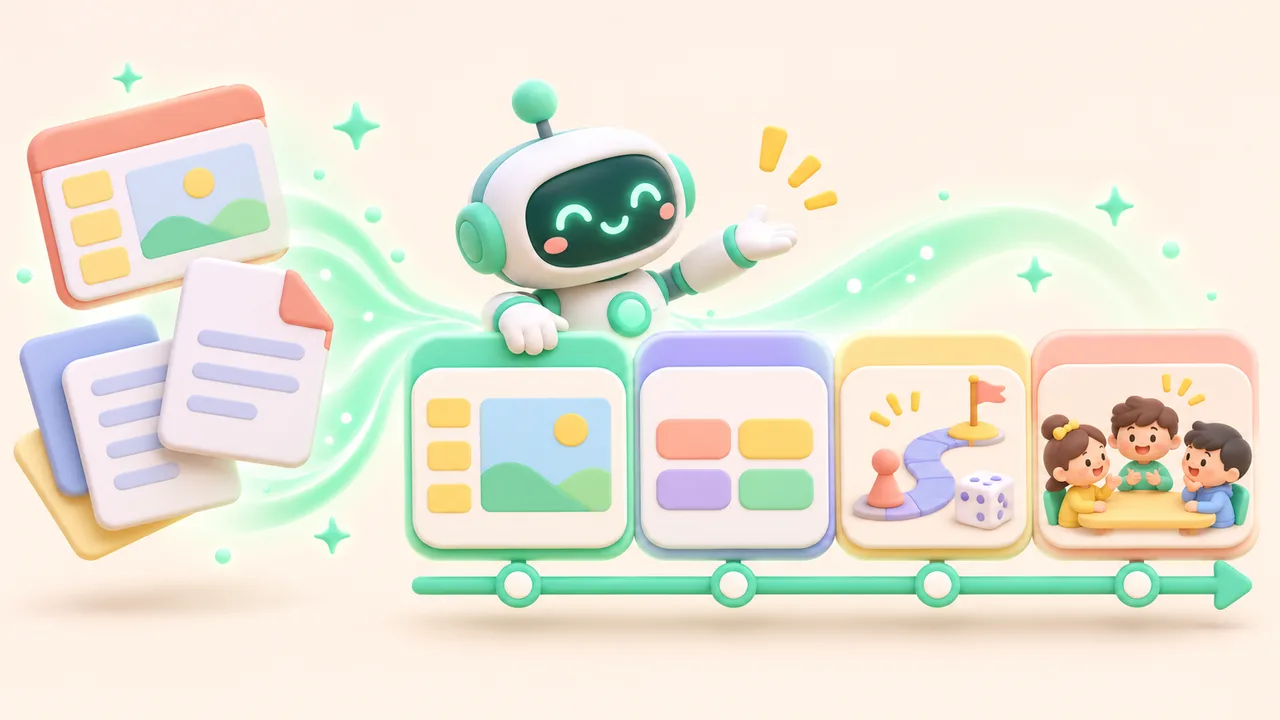
From an old lesson plan to an interactive lesson
The whole lesson on one timeline
Every activity has a clear purpose and is short enough not to break the flow of the lesson.





Drag onto the timeline, click to edit the content
 Video
 Quick quiz
 Word cloud
 Short answer
 Homework
The same lesson plan, the same class code

Teaching in class
- Teacher's device: controls, notes, and who has answered.
- Projector: only slides, questions and overall results. No names shown.
- Students: a phone, one device per group, or A/B/C/D cards.

Teaching online with a link
- Send one link to your Zalo group or Meet. Students pick their name, no account needed.
- Your slide appears on the student's device with the question beside it, so they answer without switching tabs.
- "Follow the teacher" locks the screen to your pace; "Self-study" lets absent students catch up.
Fair participation levels
- Counted over the activities a student had a chance to join, not how fast they tap.
- Students who lose connection, use paper cards or work in a group are not penalised.
- Taking part and answering correctly are two separate measures.
- Only the teacher sees each student; the projector shows overall figures only.
Three ways to join, chosen to suit your class
One device per student
Scan the QR code and pick a name from the class list. Suits classes with wifi, centres and online lessons.One device per group
Groups of 3–5 discuss and then answer. Suits classes with few devices and cooperative activities.
No phones needed
Students hold up A/B/C/D cards and the teacher records them. Suits schools that do not allow phones, or weak connections.Compared with slides + a separate quiz tool
Keep the lesson fun and on topic
 Keep each activity under 10 minutes
 Turn off rankings for young classes
 Weak connection? Use paper cards
 Never show who got it wrong
Questions about interactive lesson plans
No. Upload PowerPoint, Word or PDF and AI suggests the whole lesson with slides and activities in between. You review, edit and drag things around before teaching. Choose "Keep the original slides" if you only want to insert activities.
The AI only uses the content of the document you upload and the subject and grade you chose; it does not add outside knowledge. Every AI-made block carries a ✨ label so you can check it before use.
No. Students join with a class code or a link and pick their name from the class list the teacher created.
Choose one device per group or A/B/C/D paper cards. Results still go into the report, and a student without a device is not counted as "not taking part".
Yes. The slides and every activity in the plan share one code, so students do not rejoin when the activity changes.
It is the same lesson plan. Online, you send a link and students see your slide and answer on the same screen. You can lock "Follow the teacher" or let students go back on their own.
Yes. Turn on Self-study mode and students go at their own pace and do the activities. Self-study results are kept apart from in-class results.
Yes. Export a Word file following Appendix IV with the 4 activities Opening, Building knowledge, Practice and Application; the Wrap-up part is merged into Application. You can edit it before submitting.
Try it with this week's lesson
Free plan: 3 lesson plans, 2 AI lesson builds a day, and full lessons with no time limit.